
iCare
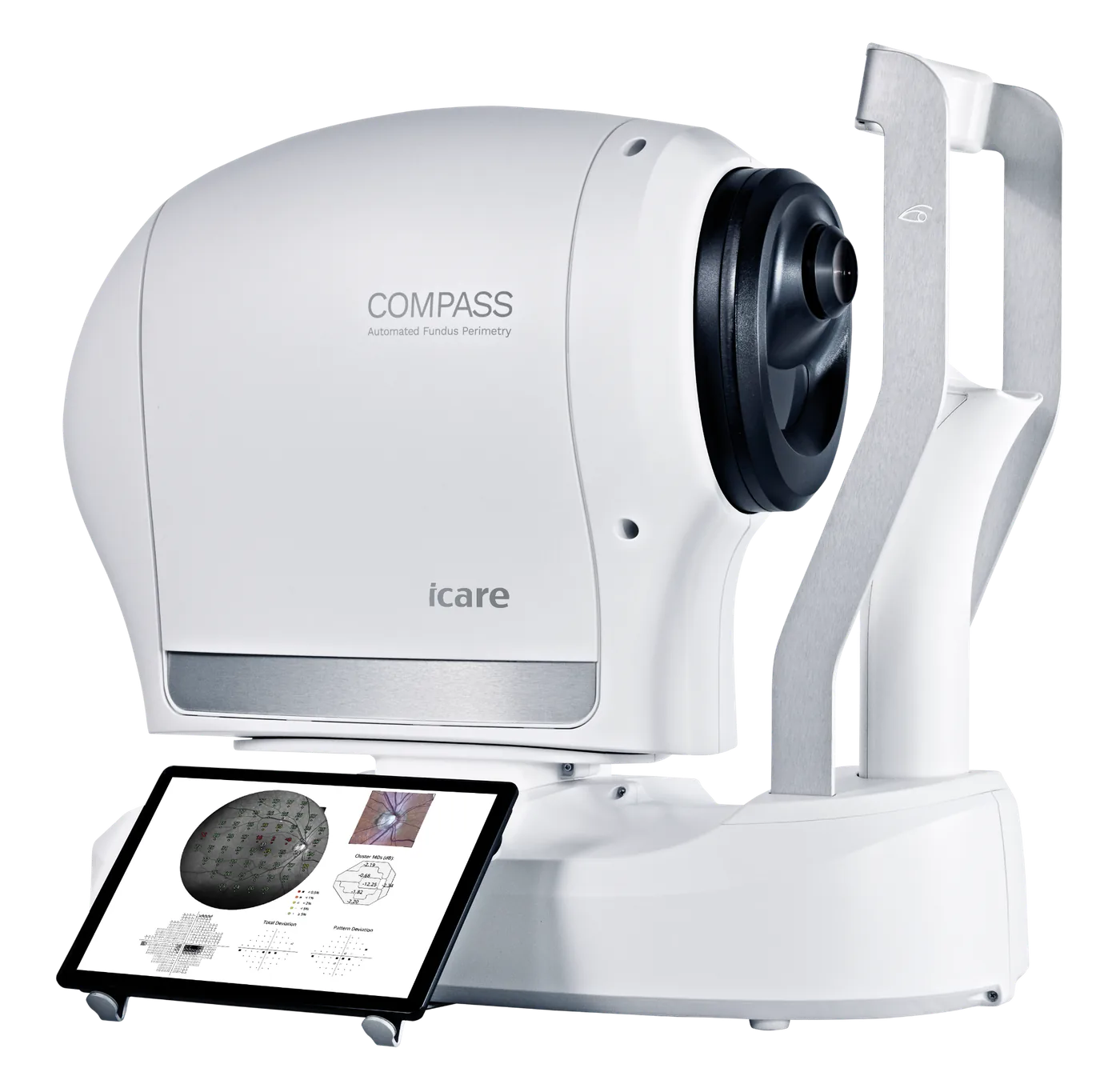
iCare COMPASS
Fundus-guided automated perimeter that runs standard 24-2, 30-2, and 10-2 visual fields with real-time retinal tracking while capturing TrueColor confocal fundus images in the same session.
Overview
COMPASS pairs standard automated perimetry with active retinal tracking. It images the retina with infrared 25 times per second and repositions each stimulus based on actual eye position, so fixation losses stop degrading the test. The same exam captures 60 degree TrueColor confocal fundus images, putting structure and function side by side. Automatic refraction correction removes trial lenses, and the ZEST Fast strategy brings a threshold exam down to a few minutes.
Explore iCare COMPASS
See the equipment and manufacturer examples up close. Select an image to enlarge it, then bring your workflow questions to a demonstration.
COMPASS SmartMosaic retinal imaging
Manufacturer widefield mosaic illustration. The expanded imaging capability depends on the selected SmartMosaic configuration.
COMPASS structure and function display
Sensitivity measurements registered over the retinal image. Discuss how fixation, scan quality and visual field results are reviewed together.
COMPASS patient examination workflow
Official iCare workflow photograph showing patient positioning and operator control.
Resources to explore
Key capabilities
Standard 24-2, 30-2, and 10-2 visual field testing with age-matched normative data
Real-time retinal tracking at 25 images per second repositions stimuli during projection
60 degree TrueColor, infrared, and red-free confocal fundus imaging in the same exam
SmartMosaic composes TrueColor montages up to 100 degrees
ZEST Fast, ZEST, and full threshold strategies; ZEST Fast cuts exam time by roughly a third
Automatic refraction correction, so no trial lenses
High-resolution stereo viewing of the optic nerve head
Non-mydriatic testing for pupils larger than 3 mm
Auto-alignment, auto-focus, auto-tracking, auto-exposure, and auto-capture
All-in-one console with touch-screen tablet interface, no external PC
Smart Progression Analysis for follow-up over time
Technical specifications
Figures below come from current iCare product material. Confirm configuration-specific details with us before purchase.
| Field tests | 24-2, 30-2, 10-2 |
|---|---|
| Threshold strategies | ZEST Fast, ZEST, full threshold |
| Retinal tracking | Infrared imaging at 25 images per second |
| Fundus imaging | 60 degree TrueColor, infrared, red-free |
| Mosaic | TrueColor montage up to 100 degrees |
| Minimum pupil (non-mydriatic) | 3 mm |
| Refraction correction | Automatic, no trial lenses |
| Connectivity | 1 Ethernet, 3 USB ports |
Why fundus-guided perimetry
Conventional perimetry relies on fixation monitoring. COMPASS actively tracks retinal position and compensates for eye movement by repositioning stimuli in real time, which is a different approach to fixation rather than a stricter monitor of it. For follow-up visits, retesting the same retinal locations is what supports comparison across exams.
Who this is a good fit for
If none of these describe your practice, it is probably not the right choice, and we will tell you that.
Glaucoma management where field reliability drives decisions
Optometry practices doing fields and follow-ups independently
Clinics that want structure and function from a single exam
Practices replacing an aging standard perimeter
What to ask on a demo
A demo is worth more when you arrive with your own cases and a list of questions. Here is what we would raise.
- Run a field on a patient with historically poor fixation and compare reliability indices
- Time a ZEST Fast exam against your current perimeter
- Review how the fundus image and field overlay present in reports
- Ask how existing perimetry data migrates for progression analysis
How Blue River Medical supports the iCare COMPASS
Equipment consultation and model selection
On-site or in-office demo
Installation coordination
Staff training
Workflow planning around your existing lane
Ongoing customer support and service coordination
Trade-in discussions when you are replacing equipment
Serving eye care practices in Colorado, Utah, Wyoming, and southern Idaho. Service and repair responsibility differs by manufacturer and model, so ask us what we handle directly and what we coordinate with the manufacturer. See service and maintenance for our general equipment service capabilities.
Related products
iCare
iCare MAIA
Confocal microperimeter that maps macular sensitivity, analyzes fixation, and images the retina in one exam, for detecting and monitoring macular disease.
Learn moreiCare
iCare IC100
Handheld rebound tonometer for measuring intraocular pressure in seated or standing patients without anesthetic drops, air, or calibration.
Learn moreiCare
iCare IC200
iCare's most versatile rebound tonometer, measuring intraocular pressure with the patient sitting, standing, elevated, reclined, or fully supine.
Learn moreRequest Information
Ask about iCare COMPASS pricing, schedule a demo, or start a trade-in conversation. We will come back with specifics for your practice.
Prefer to call? We are here to help.
Call Us: (877) 707-5688